The web interface
speccoder ui: the feature, its evidence and the next step in a browser tab or a desktop window, served from your machine with nothing fetched from the network.
speccoder ui            # the project in your browser
speccoder ui --window   # the same page in a desktop window
The window uses the system’s WebView on macOS and Windows; on Linux it needs a build with --features app (WebKitGTK). When a call needs you, the window asks for attention; the Dock badge counts the decisions waiting.
The page offers exactly what speccoder actions lists, through the same dispatcher as the terminal and an editor; every button shows its command on hover.
What you see
Six views, in the toolbar and on 1–6:
| View | Shows |
|---|---|
| Needs You | The start page: what blocks work, what is ready to review (riskiest first), what runs and what is idle |
| Overview | Every feature at a glance, and the repository’s open GitHub issues |
| Board | The feature’s tasks in lanes by verdict |
| Code | What the feature’s branch changed, and its files |
| Spec & Plan | The feature’s documents, the spec’s review and its tests |
| Report | Verdicts, requirements and the tasks that prove them, the pull request, spend |
The journey (Spec → Plan → Tasks → Commit → Run → Review) sits above a feature’s views, with one button for the next step (n); a step whose file was never written is struck through. Before you run lists what speccoder doctor warns about, each with its fix; when a failure would stop the run, the button reads Run Anyway.
A project without speccoder.toml opens in the setup assistant: what was found, the model and its key, the proposed checks, then Set Up (what speccoder init does), Commit, and your first feature. A repository that is not yet a spec project gets Make it a project: the New Project sheet for that folder.
Needs You
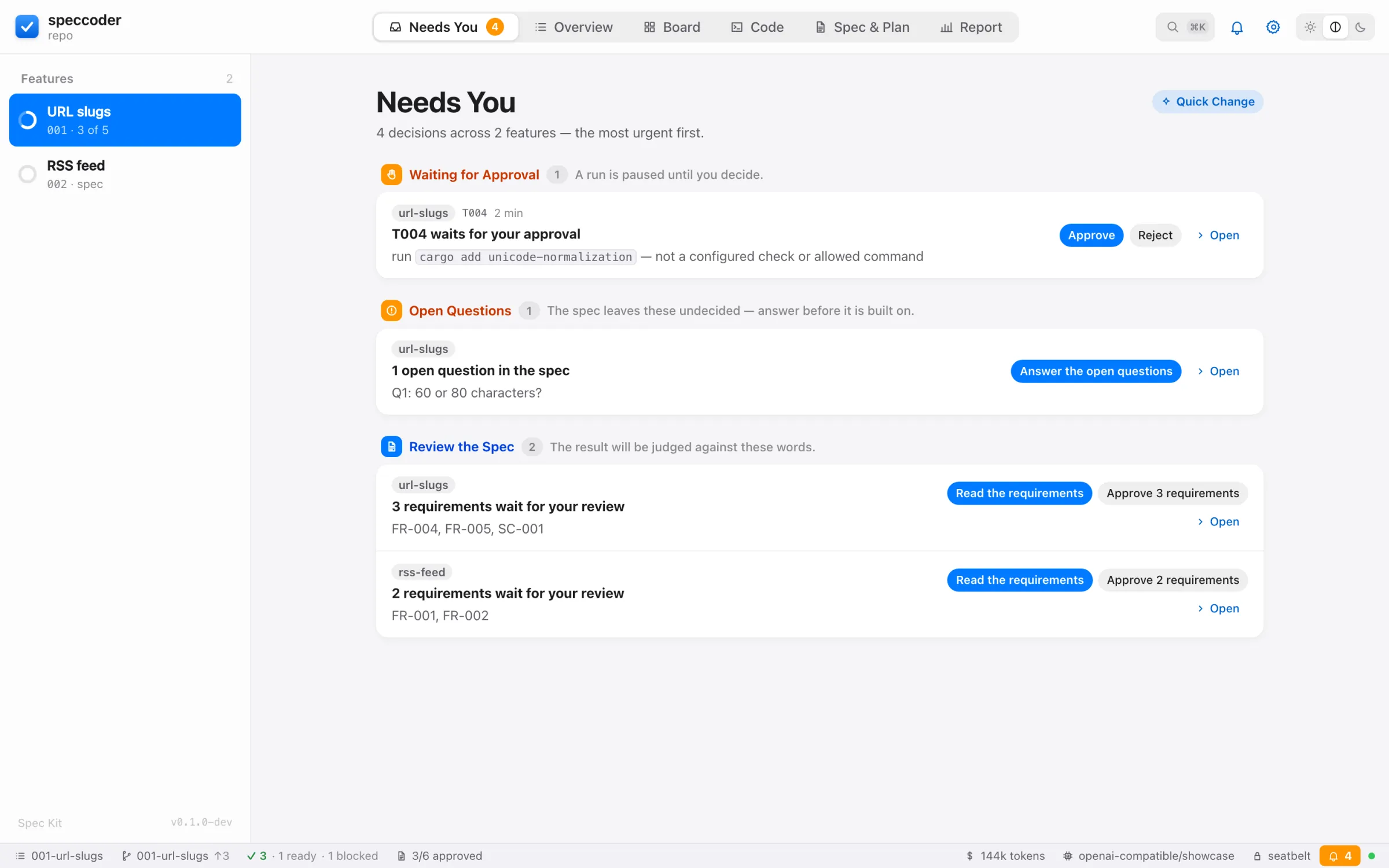
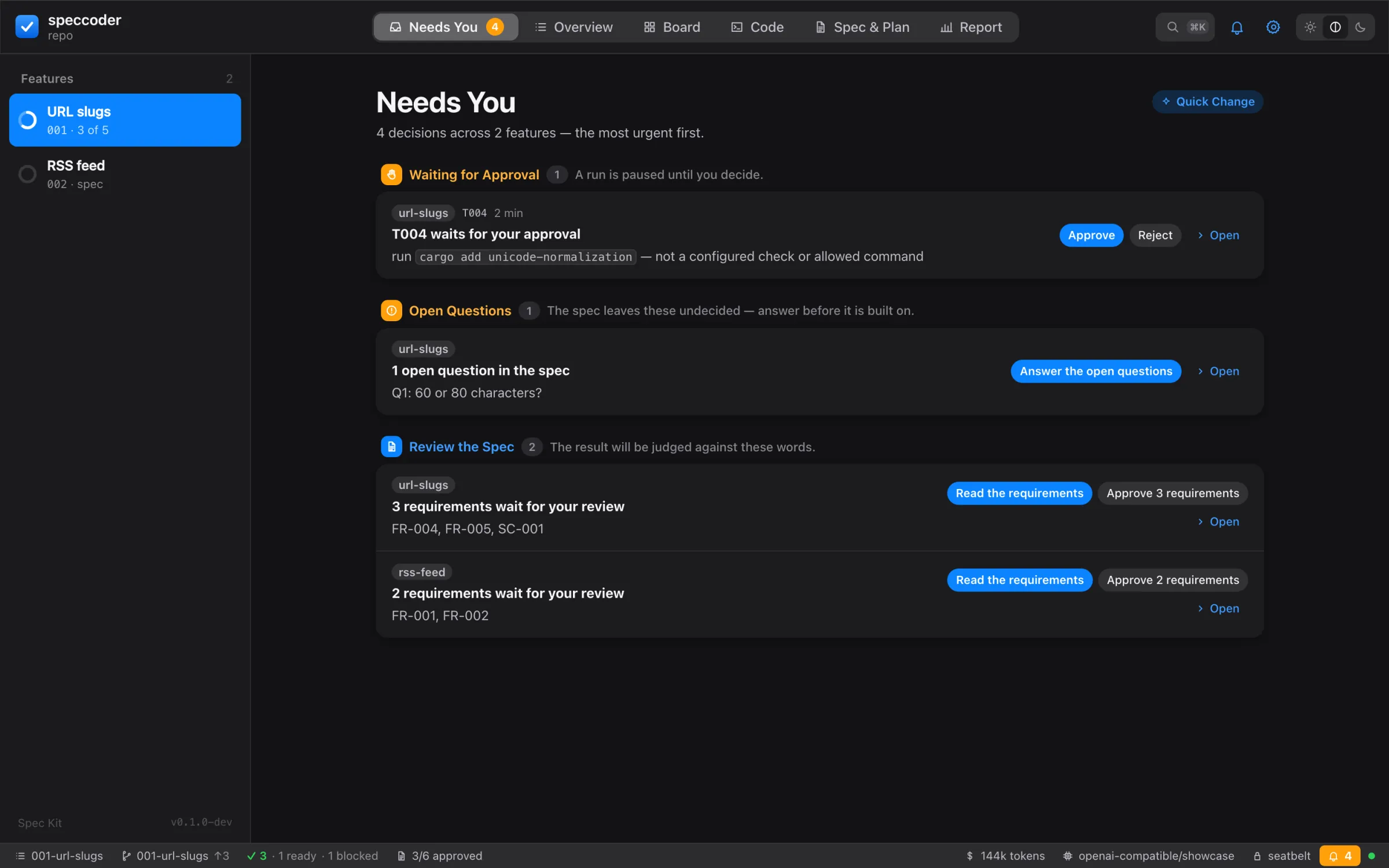
- Blocked on you first: what nothing moves without — calls waiting, questions, rulings, bug stops, tasks that did not pass, steps only you can take — the oldest first. Ready to review next: work done or held, the riskiest evidence first, each row’s reasons as chips (3 regression-only, 1 attested, below strength target, stale, outside scope, by an agent; strong work says verified). The kind (“Waiting for Approval”, “Rule on the Tests”, “Yours to Do”) is each row’s label.
- Working above them: the project’s run in progress, in this app or in a terminal, with Watch. Idle below: features with nothing running and nothing waiting.
- Approvals of one tool can be ticked and decided together: Approve 3 or Reject 3… (one reason, told to each); each is still its own decision on its own exact object.
- Each row decides in place; Open shows it with its evidence (a bug’s row opens the Bug sheet). A disabled button says why on hover.
- The sidebar and Dock badges count only Blocked on you; a desktop notification comes when something new lands there. Quick Change (
q) opens a sheet for a quick change. The terminal’s equivalent isspeccoder inbox.
Overview
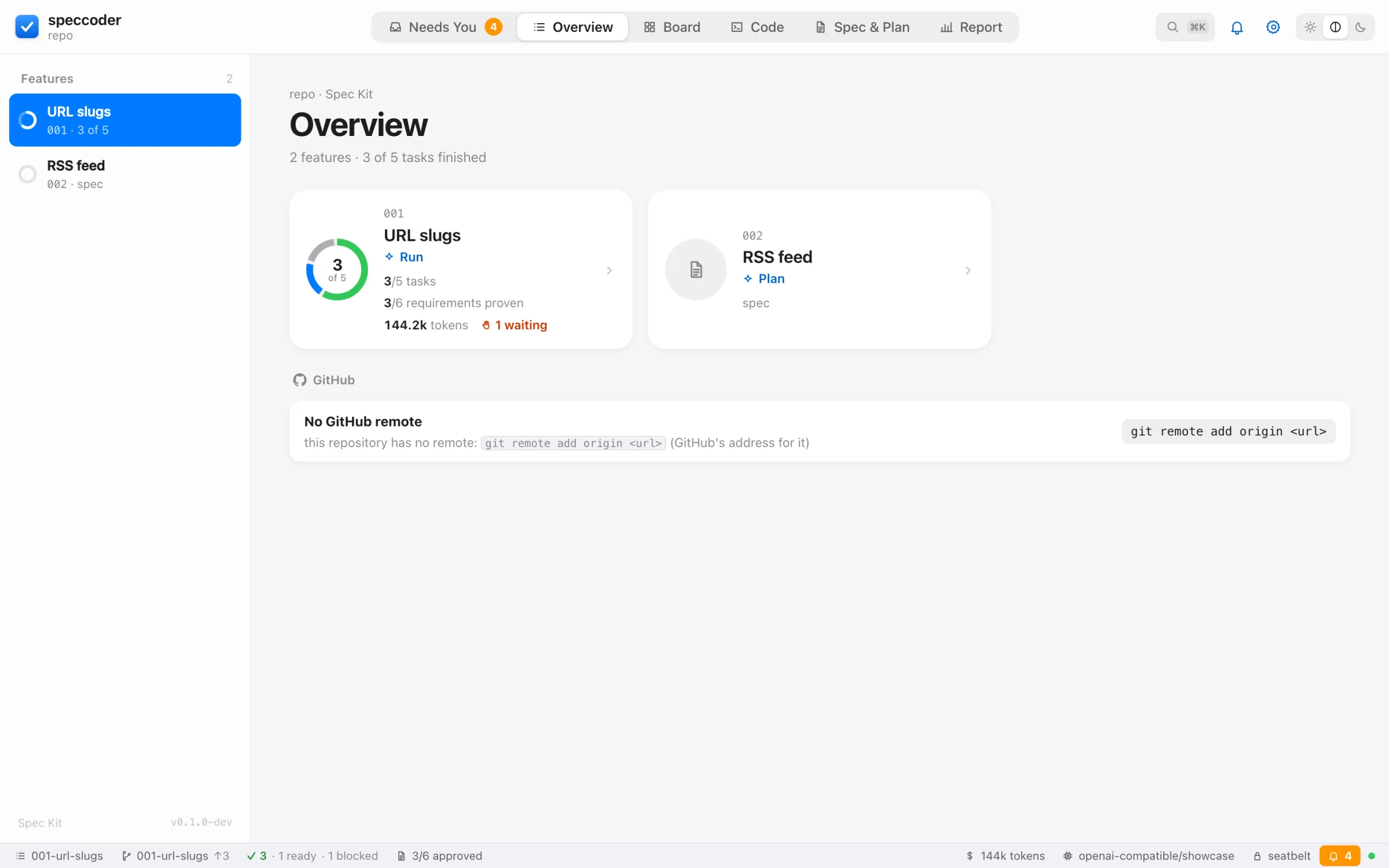
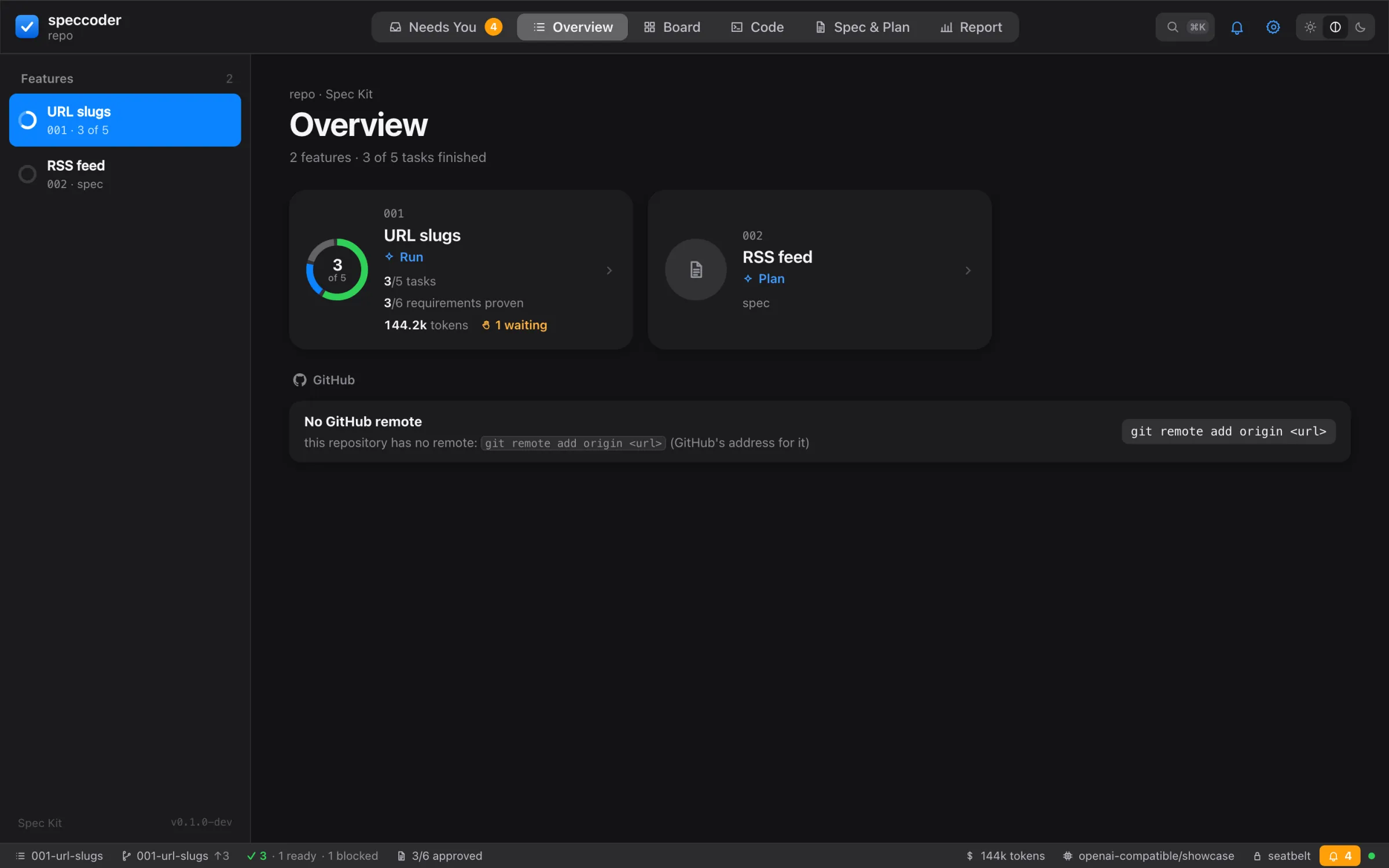
Per feature: its ring of verdicts, stage, tasks done, requirements proven, spend and calls waiting; a card opens its board. Below, the open GitHub issues, each with Start Feature (and Fix as Bug when labelled bug); an issue a spec already names shows that feature and Comment. Not signed in, the card offers Sign In.
Board
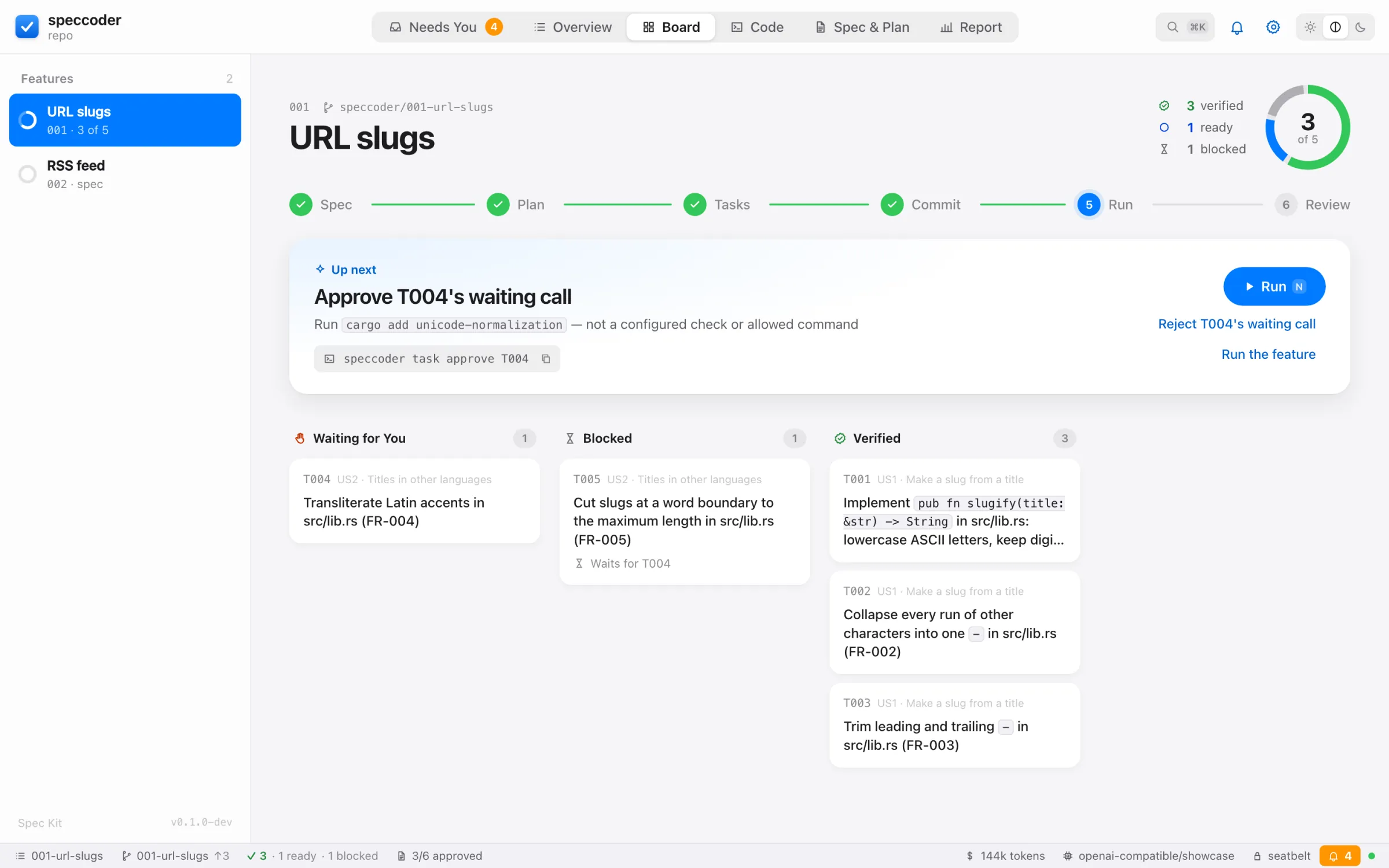
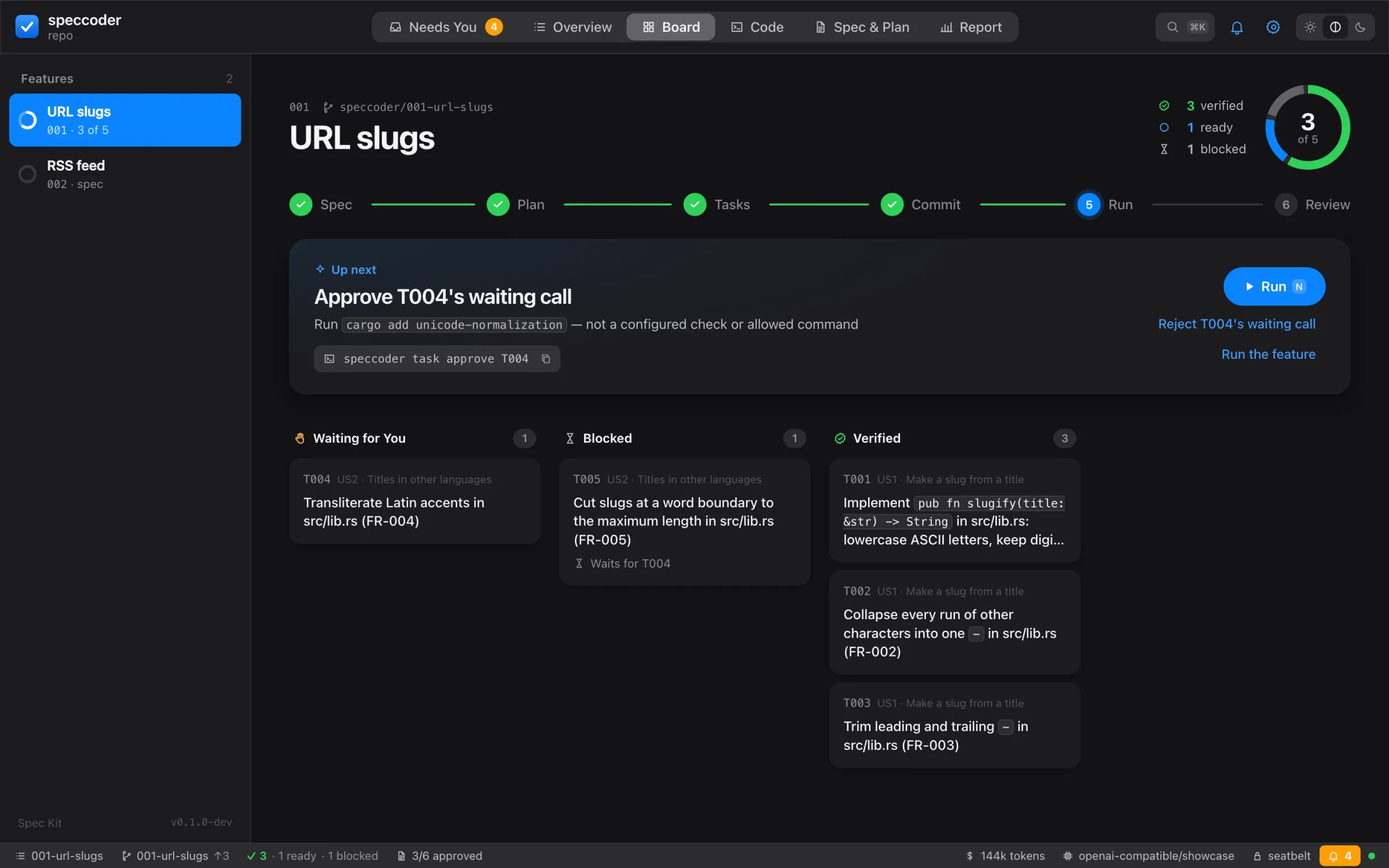
- Lanes: Waiting for You, Running, Ready, Blocked, Verified, Regression Only, Attested, No Evidence, Skipped. A lane folds after five cards.
- A card badges a planning task 📐 Planning and one that is yours 🙋 Yours (who does a task); a ready card has Run (not one that is yours); the running card shows its stage; a stale tick says Spec changed: FR-001; a task whose test file never ran says Tests never ran. A regression-only card says why on hover and to a screen reader. Right-click a card for its actions.
- Before you run lists what
speccoder doctorwould warn about, the plan checks included: each with its tasks as buttons and its fix; and, as information, Who does what.
Click a card to open the inspector:
- For a task that is yours, the same card as in Needs You: the reason, I Did It, Hint & Retry, Skip….
- The verdict; for a stale tick, the requirement then and now, word by word.
- Evidence: a row per source (acceptance, held-out, checks, diff audit, gaming monitor, mutation, strength, approvals, attestation, attempts), read from the commit’s attestation.
- Tour: the task’s evidence tour; disabled until a commit carries the task’s evidence.
- Changes: the commit that ticked the task, or the code of a failed or held attempt (Last Attempt, never merged).
- Changes set aside: Show Changes, Keep on the Branch, Discard… (changes set aside).
- The Model’s Account: its reasoning and words per turn, a claim (the model’s account).
- The task’s actions: Run, Nudge, Skip, Accept, as they apply.
Code
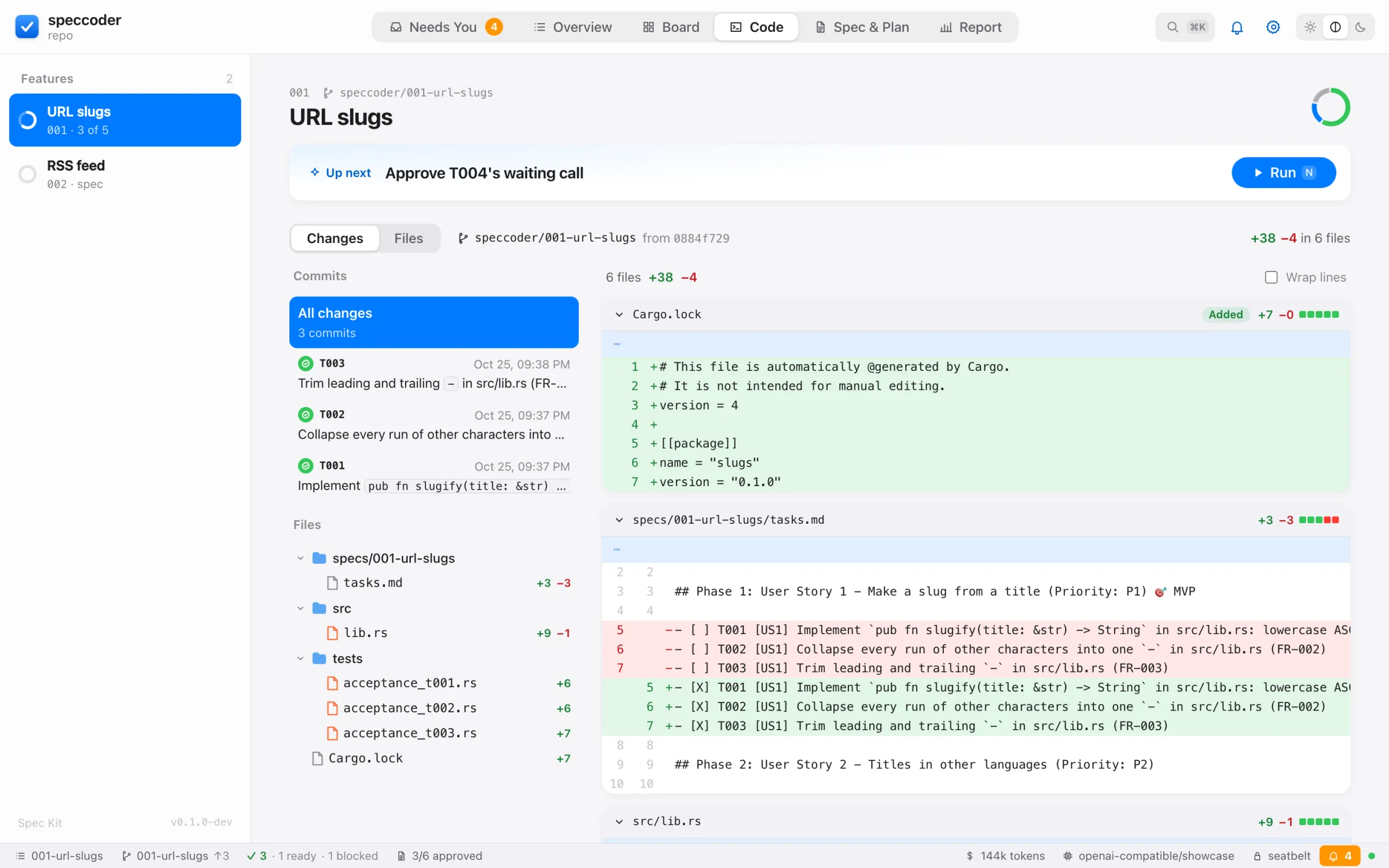
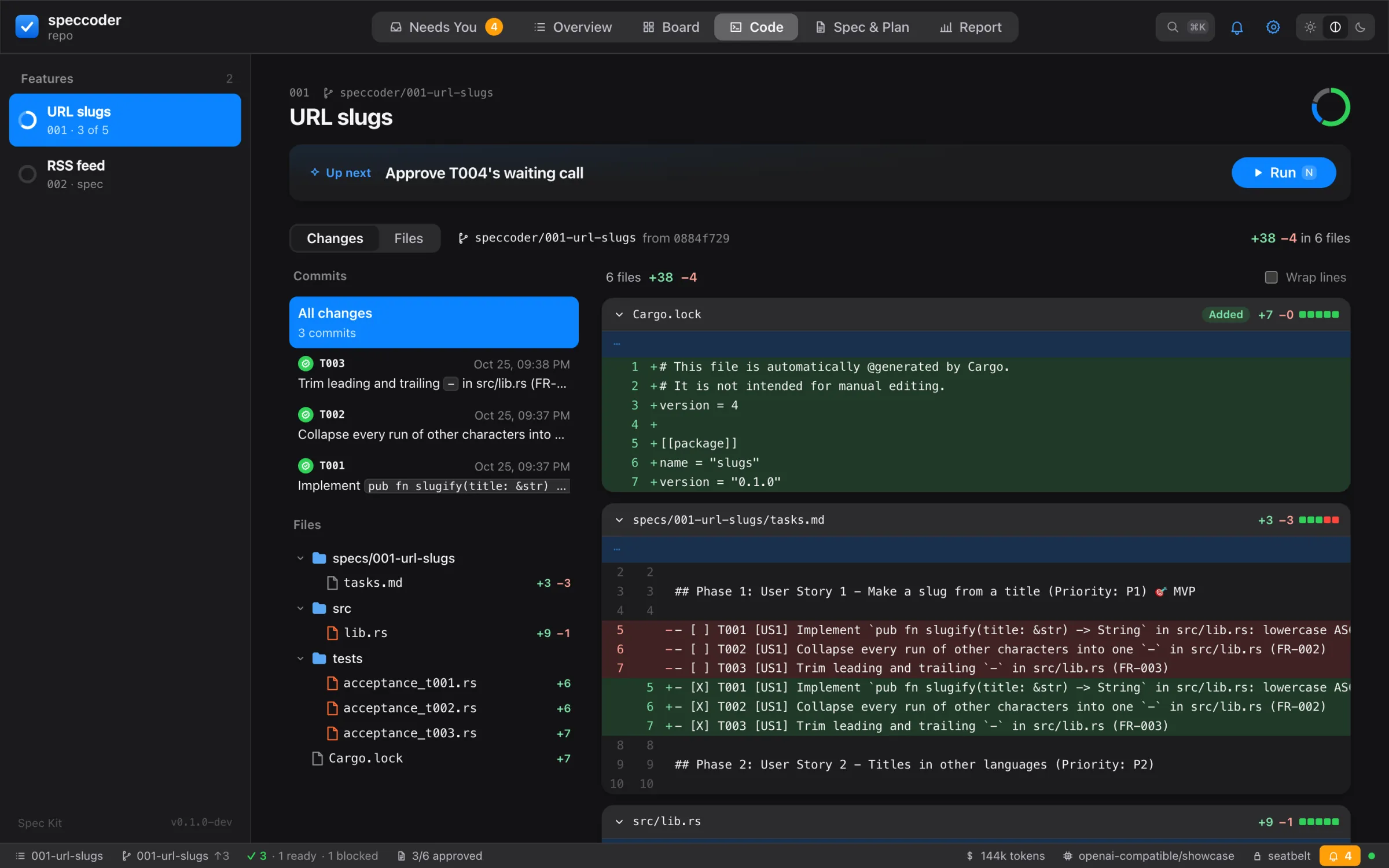
- Changes: every commit on the feature’s branch since it forked, with its verdict, the files and the diff.
- Files: the branch as a folder tree, changed files marked, with a filter. Markdown opens as a preview (Mermaid drawn; raw HTML shown as text), Source beside it.
- Worktree on disk adds untracked (U), modified (M) and ignored (dimmed) files. When such a file would stop a run, Commit … (or Fix the Setup) commits exactly those setup files in your checkout.
- Keys: ↑ ↓ → ← in the tree, typing jumps to a name; ⌘P (Ctrl+P) goes to a file; ⌘F (Ctrl+F) finds in it. A line number links to the line.
- On a task’s diff,
+beside a line adds a comment; Send N Comments as a Nudge sends them as one nudge for the task’s next attempt.
Spec & Plan
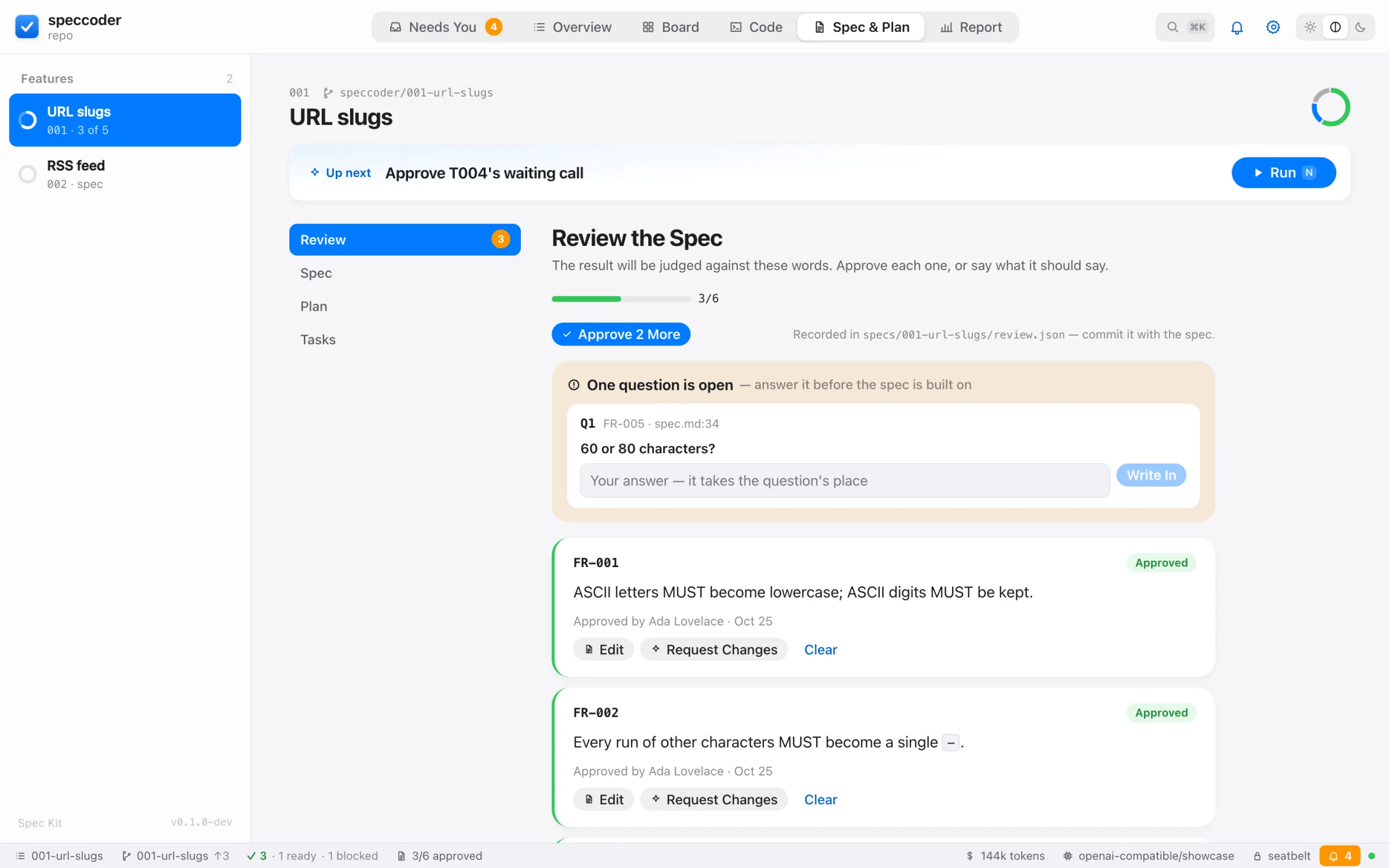
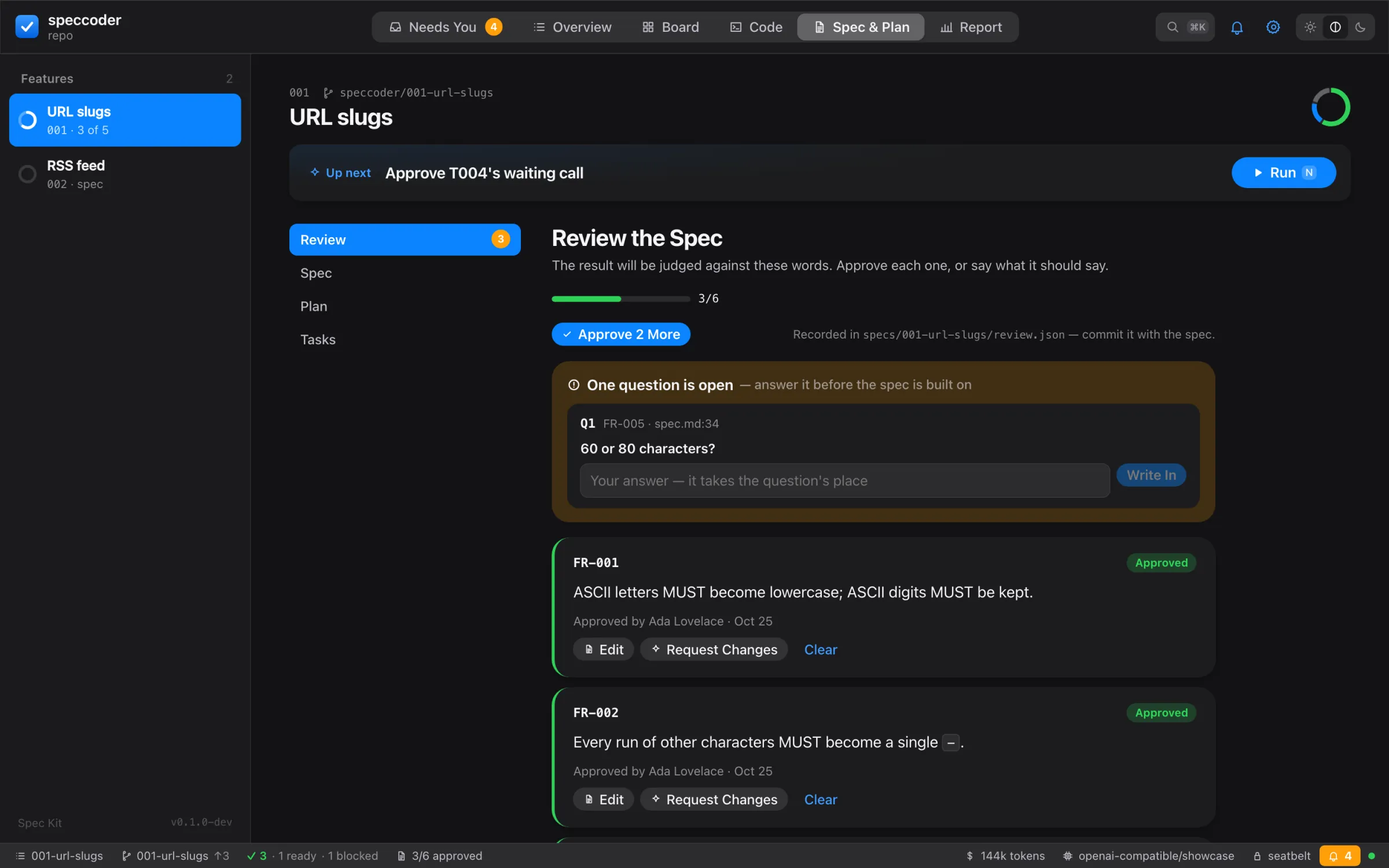
- The documents rendered from Markdown (raw HTML never), requirement IDs marked cited or uncited; the side nav holds the outline, a dot per requirement (green: cited; orange: not) and each phase’s progress.
[and]step through sections. - Review: review the spec in place: answer questions (Write In), Approve, Edit, Request Changes, Clear, Revise the Spec; Since the last commit with Commit.
- Tests: review the tests: Write Tests, then per test its scenarios, red result, Reject…, Ask Again…, Edit;
Held out: N(the count only), the strength target, uncovered scenarios. A requirement read two ways shows A Is Meant, B Is Meant, Reword…. - Approve and Run opens a sheet: what approving freezes, then Ask on Risky Calls, Autopilot (the grants it may hold, none ticked) or Keep Refining (keys 1–3). It says why it refuses; Autopilot is disabled without the OS sandbox. ▾ approves without a run.
Comments
Anchor a comment to a passage (select it, press c), a test line (+), an open question (Add to Comments) or a changed requirement (+). The comment tray collects them; Send N Comments runs one revision limited to those sections, shows each changed section word by word, and offers Keep and Undo Revision (⌘Z). Semantics: comments.
Report
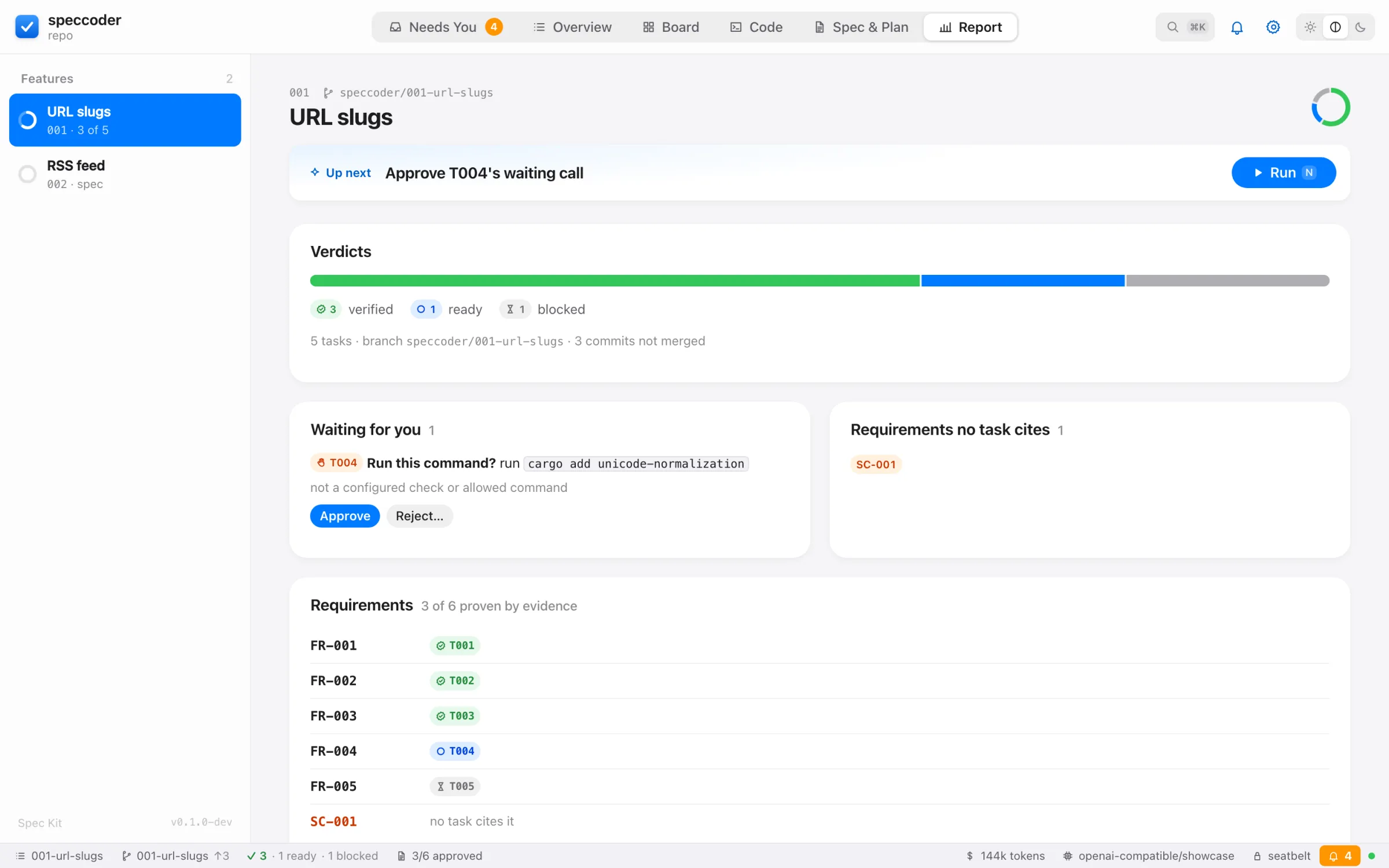
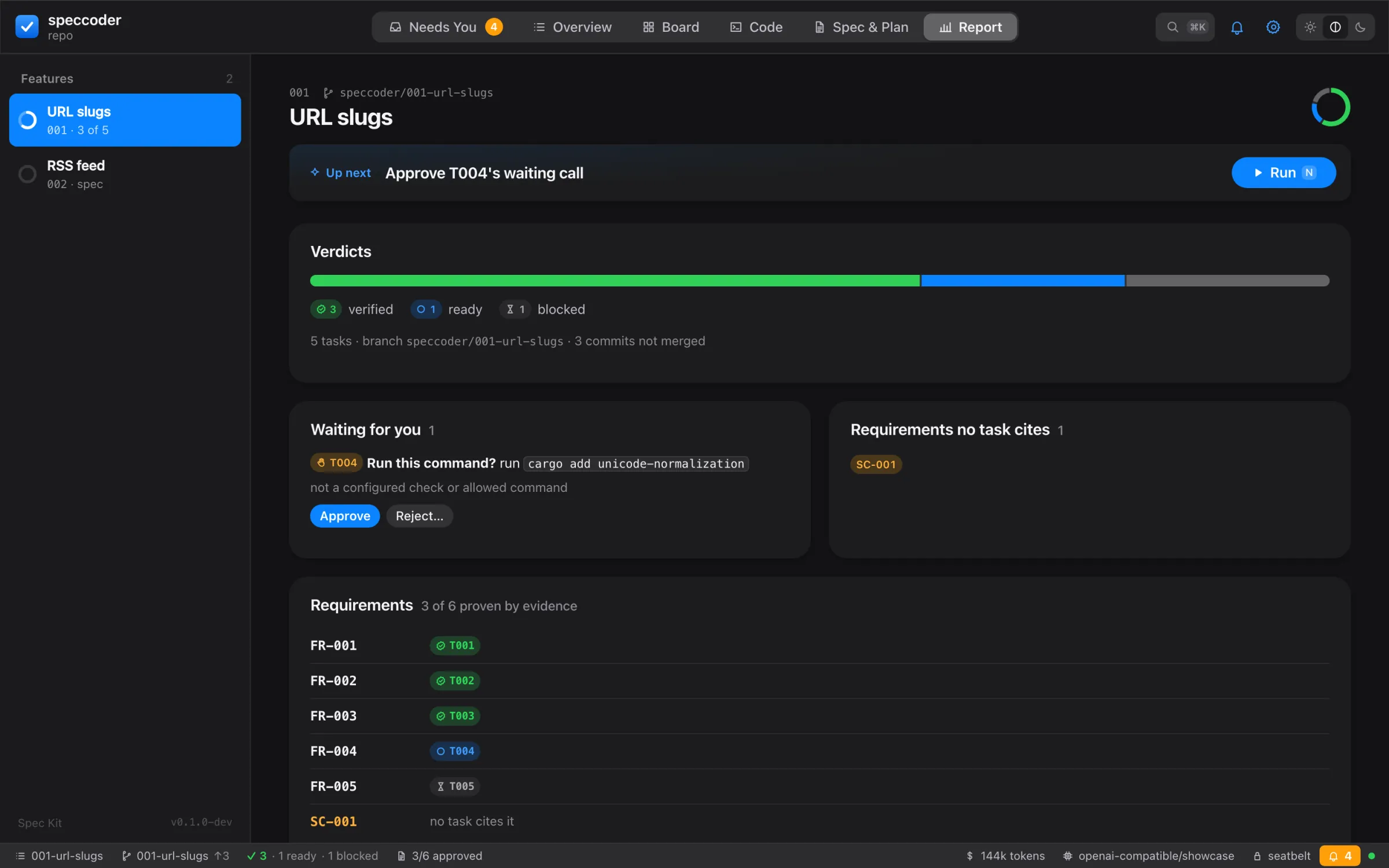
- The verdicts; calls waiting, with Approve and Reject…; stale ticks with Re-check Against the Spec (when the spec changes).
- Every requirement with the tasks that prove it, and those no task cites; when tasks.md cites none, Find the gaps runs the analysis skill.
- Pull Request: its state on GitHub, and Open Draft PR or Update after a confirmation of what is pushed where (its pull request).
- Spend: tokens, the cached share, attempts and, with prices set, money.
The live capsule and the status bar
A running job floats at the bottom of the page (task, stage, time; orange when it needs you). Click it for the stages, tool calls with their decisions, the model’s words, tokens and money. Stop ends the job before the next task; the attempt stays resumable. When an external agent makes the attempt, it shows the agent, its plan as a checklist and what speccoder decided (asked · allowed · waited for you · refused — each count filters the calls), with one warning line when the agent decides alone; a failed task ends with Try with the next agent. The status bar shows the feature, branch, verdicts, approvals, stale ticks, the running task, spend, model, sandbox and decisions waiting.
A run that stops on uncommitted setup shows a card with the fix, its command and undo, and Commit and Run Again. A speccoder run from a terminal shows as a pill in the status bar (interrupted, with Resume, when that process died); a run started here meanwhile is refused.
Bug sheet
Opened by Report a Bug… (⇧⌘B, ⇧B), a bug’s row in Needs You, or Fix as Bug on an issue. It takes the triad (one line per expected behaviour; Record needs one) and optionally the issue, your own failing test or a fix to judge; then Record or Record and Reproduce. The stage strip (Record → Reproduce → Confirm → Unchanged → Fix → Ship) follows the host’s state, so a reload resumes; reproductions are confirmed with Confirm and Fix or Reject with Reason.
Welcome
speccoder ui started outside a project — in a folder that is neither a spec project nor a git repository — shows Welcome to speccoder: New Project (N; ⌘N in the window), Open Project… (⌘O), Clone from GitHub…, Try the Sample (in a build that has it) and the recent projects. A recent project whose folder is gone shows Folder not found and Forget; one speccoder created in the last day offers Undo while nothing else happened there.
The host serves one project, bound once: to the folder you open, or the project you create, clone or try; the page then reloads into it. In a tab, Open Project… takes a path with folder suggestions under your home; in the window, File ▸ Open Project… opens the system’s folder picker, and the path never passes through the page. A host already serving a project opens another in a window of its own (speccoder ui -C <path>). Clone lists your repositories through your GitHub sign-in and clones with your git — and your git’s credentials, so a private repository needs a credential helper — after one confirmation naming github.com, into an absolute path outside any repository.
New Project
The sheet asks What are you building? first and fills in the rest: where (beside the last project speccoder created, else ~/Workspaces, else your home; editable), the stack (suggested from the idea and the toolchains installed — one whose tool is missing is disabled with its install hint), the spec format and Spec Kit’s preset and extensions. Below, This will run lists every command of the plan in order, each local or full network with the hosts it is expected to reach (not enforced), and whether the commands run sandboxed — the same plan speccoder new --dry-run prints (start a project). A refusal replaces the list with its code and fix, and Create stays disabled.
Create (⌘⏎) runs exactly the plan shown; a plan that changed meanwhile is shown again instead. Network steps are confirmed once, inline, naming the hosts they are expected to reach; they get full network access. As the steps run each row shows its state as a glyph and a word and its duration; a failed one shows its exit status and last lines, with Retry, Copy command and Undo. Done, the card shows the checks on the untouched code and the commit, and Write the first feature: the New Feature sheet with your idea. A host that was started outside a project switches to the new one, whose first view opens that sheet once.
Try the sample
A small project and a run of it recorded with a real model, copied into speccoder’s state directory and replayed strictly: no model is called, no key or network is needed. A banner names the recording (its date and model); Play (Space) opens each judged task’s evidence in turn, at a readable pace (→ one step, End to the end); the model’s words are labelled as its account. A recording this build cannot reproduce is said so in the banner, and nothing is played. Tasks play in the order the recording ran them. At the end: Start your own, Run the checks yourself (the sample’s own checks, offline in its copy; disabled with the install hint when cargo is missing), Close the sample. The sample is not added to your recent projects.
New… and New Feature
New… (⌘N in the window, N in a tab, the toolbar’s +) opens the composer: one field — Describe a change, a bug, a feature, or a question — and the rungs beside it: Bug fix, Quick change, Feature, Just ask. The host suggests one from the words alone — a wrong result of existing behaviour, a question, two or more capabilities or a long description, else a quick change — and says why; ⏎ takes it, ↑ ↓ move, ⌃⏎ bug fix, ⌥⏎ quick change, ⇧⏎ feature, ⌘⏎ ask. Taking a rung opens its own sheet with your text; the footer shows the command (speccoder bug "…", speccoder do "…", speccoder spec specify "…"). Just ask arrives with the Ask panel; a question selects no rung.
The New Feature sheet opens from the composer, the + beside the features in the sidebar, the Overview, the palette, File ▸ New Feature…, Start Feature on a GitHub issue (the issue’s description, Start from: issue #42, its origin recorded for the new unit) and the setup assistant. It shows the description, Plan it (spec only, spec → plan → tasks, … → analyze where the format has a check), the skills that will run, the folder they write, what these skills cost in your earlier runs (or cost: unknown until it runs), and the exact command. A requirement of another feature close to the description is shown with Extend 003 instead, which makes that feature current and drafts your description as a comment on its requirement — sent by you, as one revision of the spec. Start (⌘⏎) runs plan through; it is disabled without a model key or while a job runs, and says so. Under the description — and under the quick change, the bug’s lines, a requirement’s rewording, hints and answers — the writing check shows what cannot be tested yet, and ✦ Shape offers help with the words.
Spec & Plan then follows the new unit as its skill writes it. Above the document a readiness strip counts what its oracle will be made of — requirements, scenarios, open questions, requirements no scenario covers (can’t be tested) — each a link; changes are announced politely. Where plan through stopped, a card says what you decide: Approve and plan (⌘⏎; the requirements shown are approved on that wording — changed meanwhile, the card says The spec changed — review again), Retry this step, or Commit the planning files and Review the tests when done.
Settings
The gear (,) opens speccoder.toml as a page: each key with its default and meaning, checks and MCP servers as tables. Save writes the file only when it parses, keeping its comments, then offers Commit for speccoder.toml alone. Prefix lists are saved separately, from their coverage preview (Preview…, Save Prefix, Coverage; see prefix lists). Executor shows each agent with installed, signed in and asks first and the one step a missing tick needs; Use writes [executor] agent. The Run button’s ▾ picks an agent for the runs started here (remembered in this browser), without changing the file.
When a run needs you
A call that needs a person opens as a sheet with what the inline prompt shows and the same keys: Allow Once y, Allow for Task t, Allow for Run r, Always Allow… a (when offered; commit the change in Settings), Don’t Allow… n (with a reason), Stop Task s. A choice not offered for this call is disabled and says why. Questions from planning skills are answered in the same sheet. The decision is recorded with your name and via web. In another tab the title turns to ● Needs you; with Notify me allowed, a desktop notification calls you back.
Keys
| Key | Does |
|---|---|
1 … 6 (⌘1 … ⌘6 in the window) | The views |
n | The next step |
N (⌘N in the window) | New…: the composer (in the welcome: New Project) |
q / ⇧B | A quick change / report a bug |
| ⌘⏎ | A sheet’s primary button: Start, Create, Approve and plan |
? | Every key |
, | Settings |
| ⌘K / Ctrl+K | The palette: every action, filtered as you type |
| ⇧⌘T / ⇧⌘↵ | Write Tests / send the comments |
Esc | Close the task |
In speccoder ui --window, the menus (speccoder, File, Edit, View, Run, Review, Window, Help) offer the same actions as the buttons — File has New…, New Feature…, Quick Change…, Report a Bug…, Start from a GitHub Issue…, New Project…, Open Project… and Try the Sample — saying why when one cannot run now, with these shortcuts: New… ⌘N, Open Project… ⌘O, Quick Change ⇧⌘N, Report a Bug ⇧⌘B, Settings ⌘,, Toggle Sidebar ⌥⌘S, Toggle Status Bar ⌥⌘B, Actions ⌘K, Run the Feature ⌘R, Run the Selected Task ⇧⌘R, Show the Selected Task’s Evidence ⌘I, Stop ⌘., Needs You ⇧⌘I, Review the Spec ⌥⌘R, Write Tests ⇧⌘T, Send Comments ⇧⌘↵. Help opens the documentation, the quickstart, the app’s page, the error codes and a new issue in your browser.
An action that leaves your machine (a push, a pull request, an issue comment) first shows what it would do and waits for your yes. The page follows the system’s light or dark, increased-contrast and reduced-motion settings. The address follows what you look at (?view=code&mode=files&file=src/lib.rs&line=42, ?task=T003), so reload, Back and bookmarks work while the host runs.
Fixes and what went wrong
A fix line or next step that is a speccoder command runs here or opens its view: doctor and explain CODE in a sheet, report, the waiting calls, Settings. Nothing speccoder can do is only copied.
A fix that is your own command (npm install, uv sync, git add … && git commit …) opens a card: exactly what runs, the folder, and how — as you, in the sandbox with the network on, writing only to the project and the package caches; or unsandboxed, saying why (a fix that changes your global git config, or no OS sandbox here). Run (a click; Enter copies) streams its output (links and sign-in codes are clickable), Cancel stops it and everything it started, ten minutes at most; afterwards the stop that offered it is checked again. One of speccoder’s own commands without a button of its own (speccoder run --ignore-checklists) runs as speccoder, its run shown like any other. A command that asks questions as it runs (copilot login, gh auth login, aws sso login) gets Open Terminal Here in the window (a terminal at the project, the command on the clipboard) and Copy in a tab. export NAME=… cannot run here — the variable must be set where speccoder starts — so the card says so and links Settings › Model.
Every error — a toast, a stop or remedy card, a doctor row, a failed command — has Copy: one plain-text block (error[CODE]: message, each fix, the docs link, version · OS · run), masked values kept masked. Copy Bug Report (the doctor sheet, the palette) copies speccoder doctor --bug-report.
Safety
- The host listens on 127.0.0.1 only, with a random key per start.
- The key reaches the page once, in the address’s fragment (which a browser never sends); the page removes it from the address bar. API requests carry it in a header, never in a URL.
- Requests naming another host are refused (DNS rebinding), and so are changes from another origin.
- The page loads from and sends to this host only, cannot be framed, and is never cached.
- The host runs only commands it issued as fixes — built as exact argvs, or one of speccoder’s constant fix lines — signed for this project with a key the page never sees; it refuses any other (changed, composed in the page, taken from a model’s words, or a sign-in that needs a terminal).
- The interface is built into the binary; nothing is fetched from the network. The window navigates nowhere else.
Do not share the printed address: it holds the key.
Options
| Flag | Does |
|---|---|
--port N | Listen on N (default: a free port) |
--no-open | Print the address, open nothing |
--window | A desktop window instead of the browser |
speccoder --json ui --no-open prints one result once the host listens (payload ui: url, port, root) and keeps serving. ctrl-c stops the host and any job in it; the interrupted attempt resumes with the next speccoder run.